
Grow your grid.
Start with one bin. End with a workshop where everything has a home. Bins, baseplates, holders and tool inserts, shaped in your browser and ready for your printer in a minute.
Free to use · 3MF, STL or ZIP · Works on your phone
Pick a size, print it, see how it feels.
Sized to your drawer and split for your bed.
Batteries, bits and tools, each in its own spot.
Rearrange any time. Everything still fits.
Six ways to start.
Each one opens with a live 3D preview you can spin, and ends with files your slicer will love.
Storage bin
Any size and height, with dividers, finger scoops and label shelves.
Create a bin →Baseplate
Open frame or solid, padded out to fit your drawer exactly.
Create a baseplate →Clip-together plates
Pick your printer from 130+ models. We split the drawer into even tiles and count every clip.
Plan a drawer →Tool cutout
Photograph tools on a sheet of paper. Get a bin with a pocket shaped to each one.
Trace tools →Holder
Batteries, hex bits, SD cards, pens. A pocket for every piece, packed as tight as you like.
Create a holder →Custom grid
Not 42 mm? Set any grid size and height unit, from tiny 21 mm half-grids up.
Set a custom grid →Cover any drawer.
Print on any bed.
Enter your drawer and choose your printer. The plate is split into even tiles that fit your bed, bordered to the drawer walls (or not, your call), and locked together with printed bowtie clips. You get the exact clip count and a ZIP with every part.
- Even tiles12 cells on a 256 mm bed become 6 + 6, not 6 + 5 + 1.
- Exact clipsCounted for you, with spares if you want them.
- Your choiceBorder or no border, centred or pushed to a side.
From photo to pocket.
A sheet of printer paper is a perfect ruler. Lay your tools on one, take a single photo, and every pocket comes out at real size.
-
01
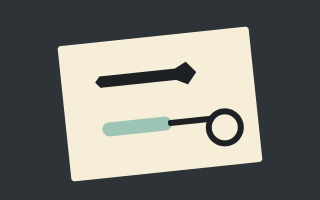
Lay them on paper
A4, US Letter or A5. Keep tools a finger-width apart, on a darker table.
-
02
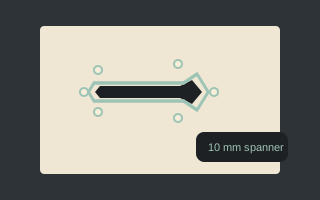
Snap and trace
We straighten the photo, find each outline and add clearance. AI names each tool and filters out shadows.
-
03
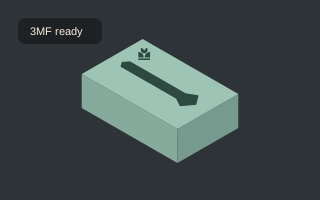
Tune and print
Set depths, add finger notches, pick a bin size. Download and print.
Print it. Share it. Remix it.
Every design has a link with its settings built in. Put it in your MakerWorld description and anyone can open the design here, change it and print their own version.

Free, and staying that way.
VERTEX by Mint Motive is free to use. If it saved you a drawer of chaos, a small donation keeps new features coming.
Good to know.
What is Gridfinity?
An open, modular storage system designed by Zack Freedman. Bins snap into baseplates on a 42 mm grid, so you can rearrange a drawer any time. Everything here follows that spec, and you can also use your own grid size.
Do I need an account?
No. Everything works without one. A free account lets you save designs and come back to them on any device.
Which printers and slicers work?
Any. Downloads are 3MF (which opens straight in Bambu Studio, OrcaSlicer and PrusaSlicer) or STL.
How accurate is tool tracing?
Usually within a millimetre when the whole sheet of paper is in the photo and you shoot from straight above. You can add clearance and edit every outline before you print.
Why is there a small logo on my model?
Each model carries a small Mint Motive mark, raised on the bin floor or engraved in a corner of a cutout insert. It is how other makers find the tool, and it keeps the generator free.